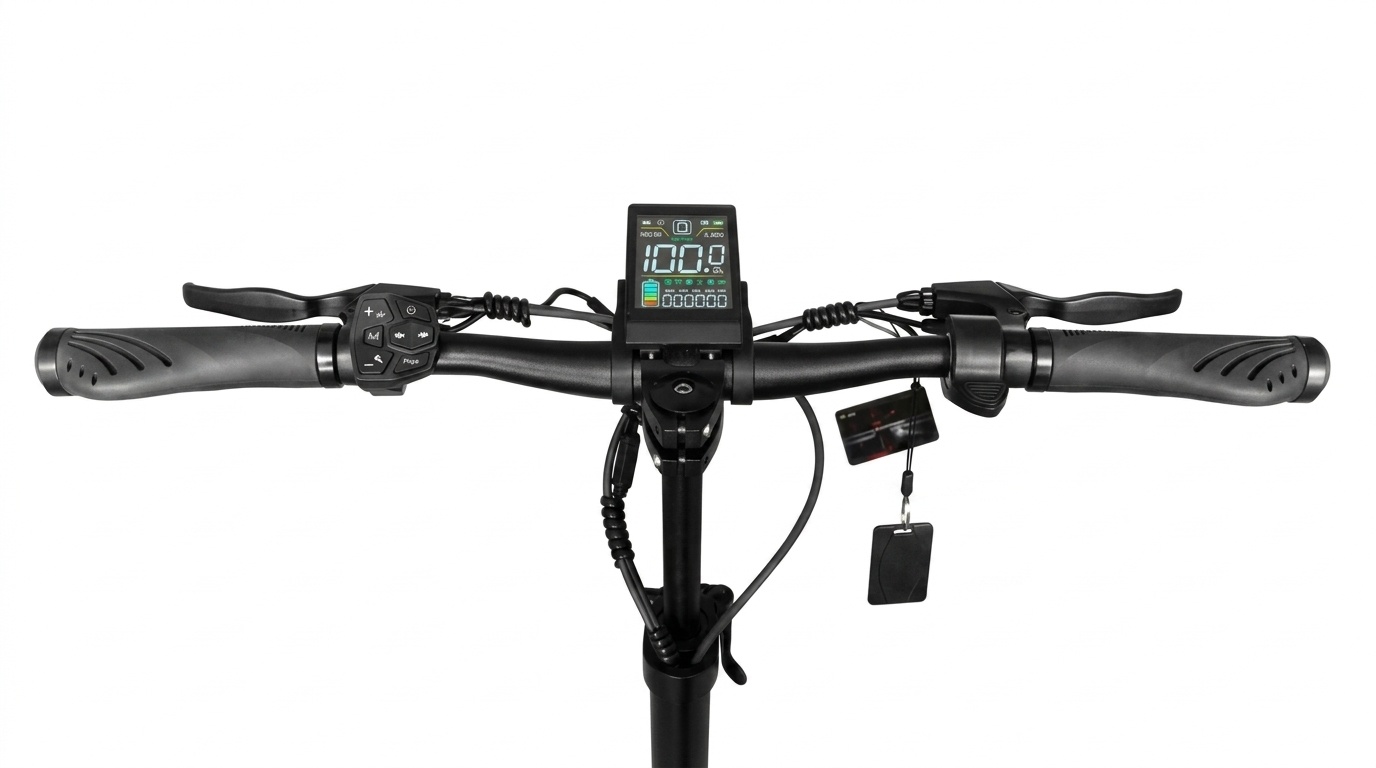
Joyor S10S-Z Heavy-Duty Performance Overview
The Joyor S10S-Z (also widely known by riders as the Joyor S10, S10-S-Z, or S10SZ) represents the pinnacle of Joyor’s high-performance dual-motor off-road scooter lineup. Built around a high-voltage 60V system architecture with twin 1000W brushless motors, this electric scooter requires regular maintenance to sustain its high-speed acceleration, braking force, and suspension dampening. This technical guide covers routine servicing, hydraulic brake bleeding, swingarm suspension tuning, and tire replacement for your S10S-Z / S10 series scooter.
1. Hydraulic Brake Bleeding and Pad Replacement
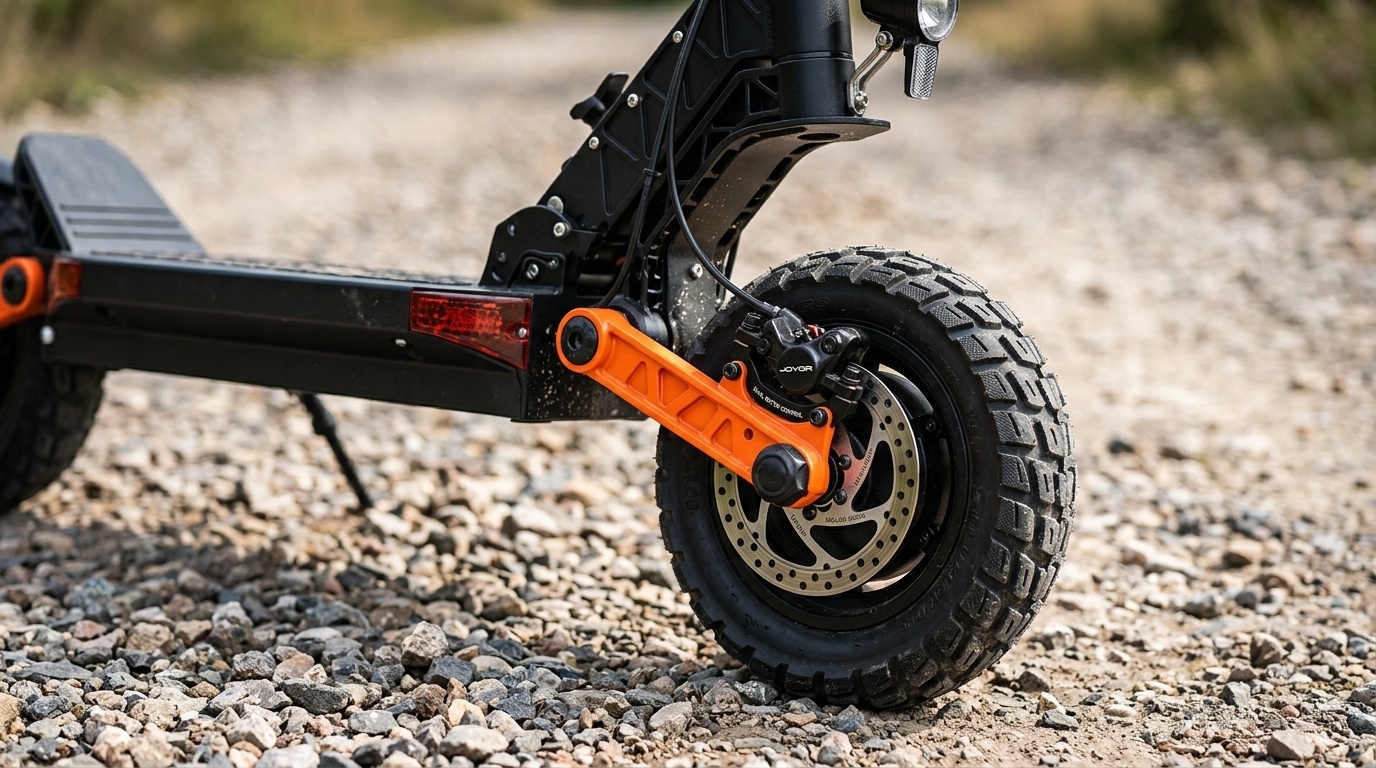
The Joyor S10S-Z utilizes front and rear hydraulic oil disc brakes to deliver responsive stopping power at high speeds. Over time, air bubbles can enter the hydraulic line, causing the brake levers to feel spongy or lose pressure.
How to Bleed Hydraulic Brakes on the S10S-Z:
- Inspect Mineral Oil Levels: Remove the reservoir cap on the handlebar lever and verify oil level. Use mineral oil designed for bicycle/scooter hydraulic systems.
- Attach Bleed Kit: Connect a bleed syringe with mineral oil to the caliper bleed port and a capture bottle to the upper lever port.
- Flush Air Bubbles: Slowly push oil through the bottom caliper while squeezing the brake lever gently to force trapped air bubbles out through the top reservoir.
- Replace Brake Pads: Inspect pad thickness regularly. If friction material drops below 1.5mm, remove the retaining pin and install fresh semi-metallic or full metallic brake pads.
2. Swingarm Suspension and Arm Adjustment
Equipped with dual swingarms and spring-damper suspension, the S10-S-Z handles rough terrain, gravel, and urban pavement. Proper bolt torque and lubrication prevent squeaking and wobble.
Suspension Care Routine:
- Check Pivot Bolts: Inspect swingarm linkage bolts every 300 km (185 miles). Torque mounting bolts to manufacturer specifications (typically 18-22 Nm).
- Lubricate Pivot Joints: Apply lithium-based grease or silicone spray lubricant to suspension pivot joints to ensure smooth compression and reduce noise.
- Damping Adjustments: Verify spring preload settings match rider weight to prevent bottoming out on harsh bumps.
3. 60V Battery Management & Charging Practices
The high-capacity 60V 18Ah lithium battery powers dual 1000W motors. Adhering to strict battery care practices maximizes service life and cell balance.
| Metric | Recommended Spec | Maintenance Action |
|---|---|---|
| System Voltage | 60V Nominal | Check full charge voltage (~67.2V) via LCD screen |
| Storage Charge | 50% – 70% Capacity | Store in cool place if unused over 2 weeks |
| Charger Type | 67.2V Standard Charger | Always plug charger into wall before scooter port |
4. Off-Road Pneumatic Tire Care and Replacement
The 10-inch off-road pneumatic tires provide traction across loose dirt, sand, and asphalt. Correct tire pressure is critical to avoid pinch flats and premature rim wear.
- Optimal Inflation: Maintain tire pressure between 45 to 50 PSI depending on rider weight and terrain type.
- Sealant Application: Inject tire sealant through the valve stem to automatically repair minor punctures up to 3mm.
- Tire Tread Inspection: Replace worn tread when groove depth drops below 1mm to preserve off-road cornering grip.
5. Recommended Accessories and Upgrades for Joyor S10S-Z
Enhance riding comfort, safety, and utility on your Joyor S10 / S10S-Z with official upgrades:
- Heavy-Duty Handlebar Extenders: Mount additional lights, phone mounts, or GPS units without cluttering central controls.
- Reinforced Fenders: Upgrade to high-impact splash guards for wet or muddy off-road trails.
- Waterproof Storage Bags: Hard-shell frame bags designed to fit the front stem tube without interfering with steering geometry.
Frequently Asked Questions (FAQ)
Q1: Are Joyor S10, S10-S-Z, and Joyor S10S-Z the exact same scooter model?
Yes. Joyor S10S-Z is the official updated model designation. Riders and community forums often refer to this model as the Joyor S10 or S10-S-Z. All key replacement parts, including 60V controllers, 10-inch off-road tires, and hydraulic brake components, are fully compatible across these naming variations.
Q2: Why are my hydraulic brake levers feeling soft on my S10S-Z?
Soft or spongy brake levers typically indicate air bubbles inside the hydraulic lines or low mineral oil volume. Performing a standard hydraulic brake bleed and topping up mineral oil will restore firm lever pressure and maximum braking efficiency.
Q3: What tire pressure should I use for off-road riding on the Joyor S10S-Z?
For optimal off-road traction and puncture resistance, keep tire pressure set between 45 and 50 PSI. Slightly lower pressure (around 42-45 PSI) can be used for extra traction on loose sand or dirt, provided rim bottom-out protection is maintained.